Showing posts with label websites. Show all posts

How to find Domain/Website Who-Is Information

If you thought anytime about who is the owner of a particular domain or website and other information about that domain or website then domaintools help you to find the whois information.

To know the contact information like domain owners, admin or technical contact this tool helps you. Also you can see some technical information about that domain or website like the nameservers the domain uses, number of websites hosted on that particular server/IP and other nice information.

You can also see the domain name registration dates and expiry dates. Every webmaster would find this tool very useful. You can find this at Who Is Domain Tools where you need to enter the domain name or the IP address.

I just made a search there for Google.com and i found interesting info on its name servers and registration dates :)

who is domain tools usage

You can also find the number of servers hosted along with Google.com. Note that this is for informative purpose only.

who is domain tools

Five free file conversion sites

There is already a bewildering selection of different files types and this will only get more confusing as more innovative file formats become available. You may be able to install conversion utilities for some applications such as Microsoft Word and you can download various freeware file conversion tools, but there is a third option: web-based file conversion services.


Media Convert - I have mentioned this site before on this blog. It can cope with a greater variety of file types than the other sites listed here, but the amount of advertising makes the interface rather ugly and far from intuitive. The maximum file size is 150Mb, although, the larger the file the more likely that there will be a conversion error. You can download the converted file directly from the website.
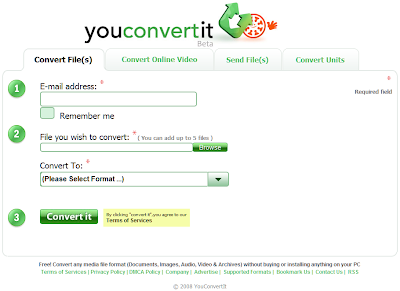
YouConvertIt - This site supports nearly as many file formats as Media Convert, but it is till in Beta testing. It has a clean and intuitive interface and - like most of the other pages in this list - it enables you to download video files from sites like YouTube. File conversions are received by email, so check the maximum email size that you can receive.

Media Converter - This service also has an easy-to-use interface and it supports many popular file types and on-line video sources. It also offers a Firefox add-on to simplify the process of downloading and converting videos from sites like YouTube, MetaCafe, etc. For the free service the maximum file size is 100Mb and each user is limited to ten conversions per day.

Zamzar - Zamzar is probably the most well known of the file conversion sites. Again it supports the most popular file types and video sites, but the maximum file size that can be converted for free is 100Mb. File conversions are received by email, so check the maximum email size you can receive.


Primo Online - This is a specialist file conversion site that offers a pdf creation service. It enables you to create a pdf document from over 300 different file types as long as they are no bigger than 5Mb. You receive the converted pdf file via email.


All-in-all the variety of supported file types and the convenience of being able to download the converted file mean that my file conversion site of choice is still Media Convert.

Tag those audio files and show them to the World

If you have a large collection of MP3s, WMAs and other audio files, you probably have quite a few where the tag information isn't set up properly. In other words, they don't come up with the correct track name or artist in your media player.


Editing these tags manually can be a laborious task, but fear not, the contributers at MusicBrainz offer a solution to your problem. As they say themselves:
MusicBrainz is a community music metadatabase that attempts to create a comprehensive music information site. You can use the MusicBrainz data either by browsing this web site, or you can access the data from a client program — for example, a CD player program can use MusicBrainz to identify CDs and provide information about the CD, about the artist or about related information. You can also use the MusicBrainz Tagger to automatically identify and clean up the metadata tags in your digital music collections.

The website has a number of applications that you can download which access the database. The one I found most useful was Picard, which provides an interface to search the database and use the information to rename and tag the audio files with the correct information. I didn't find Picard particularly intuitive to use; however, the authors have provided some quality documentation to instruct users on how the application works. Here are a few images of the software in action. If anyone struggles with the software after reading the instructions, leave a comment on this post and I will record and post a video of how to use it.

Here is that list of badly tagged mp3 files in Picard.

Using the search facility on Picard opens up a listing of matching information on the MusicBrainz website. I navigated to the appropriate album listing, and pressed the green 'Tagger' button.

Picard presented the information in the right pane. I selected the files in the left pane, pressed the 'Scan' button, and when the list in the left pane was empty I pressed 'Save' to make the changes.

Here is the file listing with the correct tag information in place.

I finally decided that I needed to create and correct the tag information on my audio files after becoming sick and tired of some of them not registering with Audioscrobbler, which is the software used on the music based social-networking site LastFM. The software records all the music you play on your computer, and even some portable audio players, and creates charts from the information. You can see my page here. The site enables you to create fancy widgets to put on your blogs, social networking pages and other websites too, like this one:


So get those audio files tagged and let the World that you are obsessed with prog rock.

Weekend Website: PortableApps.com

I have not run this feature in ages, but I decided to bring it out of retirement to feature an excellent site: PortableApps.com. With the increasing popularity of USB flash drives and memory cards many software producers are creating versions of their software tailored to run from these devices. This means that you can carry your favourite applications round with you on your portable drives and use them on whatever Windows computer you like.

PortableApps.com not only provide links to download free portable software but also have packaged the most popular software, which can be executed using their own menu. Applications available on the site include GIMP, Firefox, OpenOffice.org, and even a portable version of the antivirus software ClamWin. The site also offers support for all the available applications and has forums where you can join in discussions about portable computing.

Keyboard shortcut of the week: Quickly Open Link in New Tab

This tip should be of interest to all the Entrecard chain-droppers out there (you know who you are). It works in Internet Explorer (version 7 and later), Firefox, and Safari.

If you hold down the Ctrl key when you click on a link on a website the browser will open the linked page on a new tab, saving you having to right-click on the link and selecting 'Open Link in New Tab' (or 'Open in New Tab' on IE).

Carnival of Computer Help and Advice

I have decided to start a blog carnival to provide a monthly digest of the best blog articles that offer computer help and advice, preferably those that are written in novice-friendly language.

This carnival will be published on the 27th of each month.

The submission deadline for new articles is the 20th of each month.

Like all blog carnivals, this is a community effort. If you wish to host a carnival you can leave a comment on this article or click here, and if you wish to submit an article for inclusion please click here. The carnival's website can be found here.

[Edit 03/02/08]
As with other blog carnivals the host each month will choose which articles to include.

To be clear, this is not a general technology blog carnival, nor is it a carnival of blogging tips. It is a collection of articles offering help and advice for using computers, which may include articles about free applications but not commercial software.
[End edit]

So without further ado, may I present...

The First Carnival of Computer Help and Advice

To get the ball rolling I have trawled the web for some useful blog articles as examples of what would be suitable for future carnivals.

Jim at Simple PC Talk provides some good advice on How to Update to Office 2007. Speaking of installing software, on the IT Guys blog, CodeWizard has posted a fix for those of you getting Error code 2738 When Installing iTunes + Quicktime on Windows Vista.

Alex Jose's blog offers Tips And Tricks For A Healthy PC, as well as other advice such as how to Remove Security Alerts From System Tray and save us from annoying messages. Nothing is more annoying than a slow PC, Ajith offers advice on making to changes to Windows so that it runs faster at Tweaking Made Easy, such as Stopping Unneeded Startup Services and Making XP boot faster!

Lastly this month, a quality freeware product found by nicky81 at Tips, Tricks & Practice: a freeware Audio Ripper and Converter application that will let you convert audio files using all the most popular formats.

Top Three Web Based Image Editors

If you are using a computer that doesn't have a decent image editor program, then you can make use of a variety of web-based image editors. Having surveyed those that are freely available, I present a list of the top three. Each of these alows you to perform a variety of simple tasks upon an image, such as cropping and resizing. Each also includes the usual drawing tools as well as supporting layers. Please try them out and leave a comment to share your experiences.

Editor by pixlr.com
Editor enables you to create new images or open image files from your computer or from the web in the following formats: bmp, gif, jpg, png, psd and pxd (Editor's own format). You can save images as bmp, jpg, png or pxd to your computer or to Facebook. It offers a good selection of tools and filters.


Sumo Paint 2.0
Sumo Paint also lets you create new images and open files from your computer or the web. You can open files in gif, jpg, png and its own sumo format, and you can save as jpg, png and sumo. It has the best selection of filters and tools of the three here.


Splashup
Splashup will open bmp, gif, jpg and png files not only from your computer and the web, but also from Facebook, Flickr, Photobucket and Picasa. You can save files back to each of these in jpg, png, and the somewhat obscure fxo format. It has the most limited selection of tools and filters of those listed here.

Weekend website: Netvibes

It took me a while but at last I found it. The personal start-page that suits me best: Netvibes (www.netvibes.com). It may not be as quick as iGoogle, but it has all the features that I need: access to my emails, my web feeds; my del.icio.us bookmarks; and many useful widgets to add. To set up your own Netvibes start-page visit the site and click on the 'Register now' link.

Many of the websites that you regularly visit will have associated web feeds. Some of these may have a button that you can click to add the site's feed to Netvibes, like this one...
Add to netvibes
If not, you can ask Netvibes to check whether your favourite site has feeds.
  • Copy the URL (web address) of your favourite webpage, e.g. 'http://computer-help-tips.blogspot.com'
  • If you don't see 'Browse content' bar on the left of your Netvibes page, click the 'Add content' link (top left hand of page).
  • Click 'Add a feed'.
  • Paste the URL into the space after 'Link' and click 'Add'.
  • Repeat this process for all your favourite pages.
You can then edit the settings for that feed, or for any of the widgets you have added, by hovering over the title bar of the widget and clicking 'Edit'. I tend to set my feeds to 'Open directly on the site', so that when I click on them, I am taken to the original article. Have a play around and see what you think. If you like Netvibes, set it as your start page and enjoy a personalised newspaper of the information you want.

If you find Netvibes to be too slow for your purposes try iGoogle. For advice on using it see Aidan Henry's excellent article iGoogle: The Epitome of Google Personalization.

There are many other personalised start pages on the web. If you want to learn more read 14 Personalized Homepages Compared, Feature by Feature on Mashable, which is the best source of social networking news and views - definitely worth adding to your Netvibes page.

Weekend website: What is this file?

So here is the scenario: you have been sent a file attached to an email. You double click on it - after making sure that it is not a virus or some other malicious file - and you are told that it is an 'unknown file type'. You need to find out what type of file it is, and what programs will open it.

To do this you look at the last few letters after the last '.', e.g. word documents will end with '.doc' (you may not see these extensions for file types that your installation of Windows recognises - to see them: double click on 'My Computer'; select 'Options' from the 'Tools' menu; select the 'View' tab and deselect 'Hide extensions for known file types'.)

So you know what extension the file has, but still don't know how to open it. There are a number of web sites that provide lists of know file extensions. All offer a search tool, so you can just type in a file's extension and find out what programs you need to open it. So here are a few such sites:
Check out this post for details of a website that will convert files to a type that you may be able to open with your existing software.

Tips for searching using Google

The Google search engine syntax offers a number of options for getting better results. You can search for a specific phrase, search only on a particular site, or exclude pages with certain words. You can use the advanced search page to make use of these or you can use these simple rules of syntax in the normal search field or on Google Toolbar.

To search for a specific phrase
Simply put the words in quotation marks. For example, "Lady Gaga"

To search on a particular site
Type in the keywords that you wish to sort with 'site:' followed by the address of the web pages that you wish to search. For example, if you wished to search this blog for the word Firefox you would enter firefox site:computer-help-tips.blogspot.com

You can also search particular classes of site. If you enter site:.co.uk football, Google will return only pages on sites that end .co.uk that contain the word football.

To omit pages containing certain words
If you preface a word with - then Google will not list pages that contain that word. For example, if you enter the terms linux -ubuntu, you will get a list of pages that contain the word 'linux' but not the word 'ubuntu'

You can use all of these options in a single search. If you wanted to search the BBC news site for all pages that contain the phrase 'Barrack Obama' but not 'Clinton' then you would enter site:bbc.co.uk/news "barack obama" -clinton

Dropbox: Internet File Storage

There are a number of sites that offer you storage space to back up or share your files over the Internet. Many of them have a limit on the size of file that can be stored, but this is not the case with Dropbox. Dropbox offers 2gb of storage space for free. This capacity can be increased if you upgrade to one of the payment options.

Dropbox provide software that enables you to access your storage space as if it were a drive on your computer. This software is available for Windows, OSX, Linux and a variety of mobile devices. Alternatively you can use the Dropbox web site to upload and download files.

Files can be placed in a 'Public' folder so that other Dropbox users may access them, or they can be stored in your private area, in which you can create new folders. Dropbox also records any activity on your account. Just follow the simple registration procedure and you will have enough space to back up your essential files.

Weekend website: More anwers than questions

Yahoo Answers offers you the chance to ask questions in a user-friendly open forum. The forum is broken down into various categories such as 'Pets', 'Health' and, of course, 'Computers & Internet'.

CNET provide various forums (or is that 'fora'?) where you can ask computer-based questions; including one aimed at 'Computer Newbies' in particular.

Both sites require registration to submit and respond to questions. I check both regularly for opportunities to share my *ahem* sagely advice.

Weekend website: Media Convert

Anyone who has used Windows for a while knows there are a dazzling array of file types. Maybe the word processor you use at home is different from the one you use at college; maybe your job requires all reports to be submitted as pdf files; or maybe someone has sent you an audio file in Ogg Vorbis format and you are completely nonplussed. As not all applications support all file types you need an easy way to convert some files into a format you can use.

The Media Convert site enables you to quickly convert files from one format to another whether office documents or video files. I have used it a number of times and have found it a lifesaver. Media Convert supports dozens of file types and is definitely worth bookmarking.

Weekend website: Google Groups

I doubt that anyone visiting this page hasn't heard of Google, however, some of you may not be aware of Google Groups. From this site you can search a variety of Usenet newsgroups (a forum/BBS system that predates the web), as well as Google's own groups. This page can be exceptionally useful when you are searching for help and advice about computer problems - after you have checked for help on this page, of course. The chances are you are not the only one with a particular problem. Someone has probably asked for help with it before and maybe received an answer on Usenet.

Students should also be interested Google Scholar, which can be used to search for academic books and journal articles.

Related-Content.g?q= 404 Error 's Solution in Blogger Blogs

Just after I published an article regarding the "related-content.g?q=" 404 error, a lot of webmasters have been asking questions about it both at the Google Webmaster and Blogger Help Forums to know if there was a solution.

Update: It does look like that Blogger has finally taken action. They have disallowed the /related-content.g?q= in robots.txt file. So, it is no longer anything worth worrying about.

Some of them have even asked the same question by commenting on this blog. Despite knowing a solution, I did not tell them because of my reluctance and hope that Google would probably solve this error, which seems very unlikely (like most errors on Blogger).

The reason for my reluctance was that I was not sure if it was in agreement with Blogger's Terms of Service, violating which, will surely result in a blog being deleted.  I did not wish that Google deleted other people's blogs due to me. Today, I re-read the Terms of Service and came to know that it did not mention anything about this "hack". Although, it is in Google's discretion to change the terms any time to suit their needs, it is probably safe for now to remove the script causing the error. To remove the script, follow the steps given below.

How to remove the related-content.g?q= 404 Error

  1. Login to Blogger.
  2. Click on Design.
  3. Click on Edit HTML.
  4. Search for </head> in your template.
  5. After locating it paste the following code immediately after the </head>.
  6. <!-- <body><div></div>  -->
  7. Click on Save Template.
  8. An error message like the one given in the image might be shown
  9. related-content.g?q=
  10. Click on Delete Widgets.

What does this do?
This removes the Blogger NavBar widget which is the root cause of this 404 error. As the new script inserted to Blogger blogs is added in this widget, removing this would remove the JavaScript too and would thus stop our blogs from linking to non-existent 404 pages.

How long does it take to work?
Well, it depends on your blog's crawl rate. If your blog gets crawled fast, Webmaster Tools might remove this error in a week. If that is not the case, it can take up to a month.

P.S: As an additional benefit, deleting the Navigation Bar widget will reduce the number of errors and warnings in your blog's HTML validation through W3C.

Cool Javascript Tricks: Edit Websites in Browser (Live)

Imagine a world where you are a God and have ultimate control on what happens and more importantly, how it happens. Seems too good a dream. Now it has come true, at least for the online world.

javascript tricks
Using this trick, you will be able to edit any webpage live in your browser as if it was a Wiki and change the details according to your wish. Yes, you read that right. You can even edit Google or even Facebook for that matter right in your browser and that too without requiring any technical know-how or getting deep into hacking and cracking.

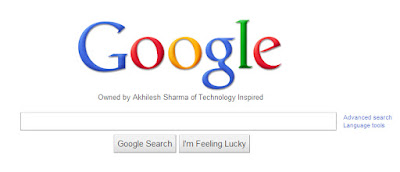
Here is an example picture demonstrating the Google Homepage edited by me to say that I own Google.
Edit Websites Browser

This is just an example. You can use it for anything like showing wrong traffic stats or for fooling people by showing that someone said something about them on Facebook or Twitter. It depends only on your creativity. But I would advise you to stay ethical and use it for entertainment purposes only.

To use this trick, all you need to do is just copy the code given below and paste it in your address bar after you have opened the website you wish to edit. And start editing.

javascript:document.body.contentEditable%20=%20'true';%20document.designMode='on';%20void%200
You can capture a screenshot by pressing the Print Screen key or by using the Snipping Tool if you use Windows 7 or Windows Vista. If you wish to again make the website non-editable to give a more authentic look, copy and paste the code given below in the address bar after you are done editing.

javascript:document.body.contentEditable%20=%20'false';%20document.designMode='off';%20void%200

Or, alternatively you can use the following bookmarklets by dragging them to your Bookmarks bar.

1.  Edit this Website

2.  Done Editing

The editing that you do will however be temporary as it is not server-sided. You can also save the modified website through Firefox by File>Save. This works on all common web browsers including Chrome, Firefox , Opera and Internet Explorer.

Also Read
  1. Cool Notepad tricks for Windows
  2. Cool Keyboard Tricks (Windows) : Make a Disco

Cool Facebook Status, Chat Tricks and Tips

Most of us use Facebook to interact with some of our long separated friends but that does not mean we cannot have fun on Facebook. Here is a collection of tricks, tips and easter eggs you can use to enjoy your experience on Facebook.

Facebook Easter Eggs: Pirate Language ,Turn Facebook Upside Down

Facebook is not as famous for its easter eggs as Microsoft but that does not mean that Facebook's easter eggs are not entertaining. The one which I especially find interesting is the Pirate Language trick. To enable Pirate Language in Facebook, login to Facebook, click on Account Tab, click on Account Settings, click on Language, and in the Primary Language dropdown menu, somewhere near the bottom, you would find English(Pirate). Select it and be the captain of your Pirate Ship.

Facebook tricks
Blabber t' yer mates

Similarly, you can also turn Facebook upside down by selecting English(Upside Down) from the Languages dropdown. This will flip the entire Facebook interface but your status updates would still be "normal".

Facebook Tips
See. Mark Zuckerberg does know how to headstand.


Chat on Facebook in your Firefox sidebar while browsing other Websites

To do this, you need to bookmark http://facebook.com/login.php. Then click on Show all Bookmarks (Manage Bookmarks in older versions) in the Bookmarks menu, then locate the newly created bookmark, single click on it, then click on more in the footer, then check Load this bookmark in Sidebar. Now, you can open that bookmark in Firefox's sidebar and keep on browsing other websites too.

Facebook chat

Show Facebook Status Updates only to Specific People or Hide them from someone

Facebook gives you the option to show your status updates to everyone or only your friends. You can further optimize Facebook so that your status updates are shown only to people you wish. Go to Customise Settings from My Account> Privacy Settings>Custom. Then, customize the Posts by Me section by choosing Make this Visible to Specific People and adding their names. You can hide your statuses from specific people by adding their name in the Hide from These section.

Hide Facebook Status

Tag people in Status Updates, Wall Posts, Comments or Text

To tag someone in text in a manner that a link is created to the person's profile, use the @ symbol. eg. If you wish to tag John Jamison in your comment write @ John Jamison without any spelling mistake. If the person is in your friend list, a link in blue will be automatically created to the person's profile and he would be "tagged".
Tag Statuses Text Comments
Facebook text tagging in action


Write Upside Down, In Bubbles or Inverted Mirror-like text on Facebook

You might have seen many people update their Facebook status saying that "this was the last time they bought a keyboard on eBay" or "they have finally learnt how to update Facebook statuses while doing a headstand" written upside down. Here is how you too can flip text like that and add much more cool effects. Just go to Upside Down Text, uncheck Backwards effect, enter your text and copy the inverted one from the inverted text column and paste it in your status update or chats. You can also write inverted mirror like text by un-checking the upside down effect. To write in bubbles, click on the Bubble Ball text in the top Navigation bar.

e.g. Mirror Effect:- !rorrim a ni deppart ma I !oN hO

e.g. Upside Down Effect:- pɐɯu ʞǝʎqoɐɹp¡

e.g Both Mirror and Upside Down Effect:- ¡poפ ǝɯ dlǝH ˙ʎzɐɹɔ ƃuıʇʇǝƃ sı uıɐɹq ʎW

e.g. Text in Bubbles:- Ⓞⓗ Ⓝⓞ! Ⓜⓞⓡⓔ ⓑⓤⓑⓑⓛⓔⓢ


Related: Change Facebook Theme, Appearance

Online Marketing Strategies, Tools and Tips for a Successful Marketer

The internet has proven to be one of the best means of marketing .There are numerous methods by which you can market your products online. The advantage of internet or online marketing is that the cost involved is lower as compared to other methods of marketing.


Online Marketing
Effective Online Marketing can help you earn big!

Other major advantages include its wider reach in the global market, increasing number of internet users, greater flexibility and better chances of building a healthy customer relationship. Here are a few methods by which you can market your online products easily.

Blogging

Blogging is one of the most prolific methods of online marketing and everyone is inclining to this method as it is easier in comparison to other methods. You can start a blog for any kind of business, no matter big or small. Here, you are required to write about your products and services in a way that the reader easily comprehends. This is highly beneficial as there are many readers who prefer to read blogs. All you need to do is to promote your blog in a manner that drives readers to your blog.

Social Media Marketing

This kind of marketing is on the rise these days due to the increasing number of people using the social media to keep in touch with their loved ones. There are different social media sites like Facebook, Twitter, MySpace, etc where you can build a relationship with customers and hopefully, sell your products. The communication done through social media is friendlier than the one in other kinds of marketing methods.

Email Newsletters

Email marketing involves sending emails to targetted customers. These emails contain newsletters that talk about your products in a way that lures customers into buying them. Most successful email marketing packages comprise of colorful backgrounds, professionally designed graphics and brilliantly written description. To make a success out of an email marketing strategy, you need to prepare the email newsletter in such a way that it arouses interest in a customer and not annoy him.

Article Marketing

This is more or less like writing blogs, the only difference being the fact that articles are written and submitted to top article directories whereas blogs are written on CMS’s like Wordpress and Blogger. When you describe your product in the article, you need to make sure that there is some extra information that the reader might find interesting. This may induce an interest in the customer about buying your products or services. At the conclusion of the article, you provide a link that leads the readers to your website which helps in bringing more traffic to your website, thus making your business an imposing success.


Online Marketing
This is a guest post submitted by Kendria Chris. Kendria is a keen user of social networks and a graduate in computer science. If you wish to write for us, do check our write for us page.

How hackers hack Facebook Account & How to stop them?

Facebook is, undoubtedly, the most popular social networking website with more than 500 million active users. Due to its popularity, many hackers (or should I say crackers?) are actively involved in hacking Facebook accounts of unsuspecting users. This articles outlines the many strategies that such hackers use to gain access to Facebook accounts of hundreds of users each day and how you can stop them from hacking your account.

Facebook is one of the prime target of hackers!

Email Address Hack

I have always been puzzled by Facebook's leniency in this matter. All a hacker needs to do is know your email address and he will be displayed  a confirmation showing your name even if he enters the wrong password. How easy life can then get for the hacker if he 'guesses' your password (if you use weak passwords) or answers your Security Question! This is something I hope Facebook improves on quickly. Until Facebook does so, here are some tricks you can use to protect yourself from this vulnerability.

How to safeguard your Email Address?
Just follow the steps:-

  1. Hide your Email Address from everyone by going to Account>Privacy Settings>Custom>Customise Settings>Clicking on the Lock icon besides your email address> Custom> Make this visible to Only Me.
  2. Change your primary email address to a one that is only known to you by Account>Account Settings>Email>Changing your contact email to the new one and removing your previous email address.
  3. For additional security, when in Account Settings, check Secure browsing and Send me an email when a new computer or mobile device logs into this account and click Save.
Also: Why Facebook is blue?

hack facebook
A hacker at work!

Phishing

Phishing is one of the easiest ways to trick users into giving out their login credentials. All the hacker does is setup a webpage similar in design to that of the Facebook homepage, attach a server sided script to track the username and password entered and store it in a log. Sending people emails stating that someone tagged a photo of them on Facebook in the same format as Facebook and giving a link below to the phishing website further reduces the chances of it being detected as a fake. Sometimes, spam Facebook apps, like the one's promising to tell who viewed your Facebook profile, automatically post links to phishing websites. A new trend amongst phishers is creating Facbook look-a-like widgets for stealing user's login credentials.

How to prevent yourself from being phished?
At all costs, avoid clicking on suspicious links. Moreover, always check the URL in the address bar before signing in. Avoid logging in through various "Facebook widgets" offered by websites and blogs. Instead, use Facebook's homepage to sign in. Always try to use Safe Search while searching. If you do manage to get phished, report the website so that others may get a warning before visiting it.

Tip: Change Facebook 's theme

hack facebook password

Keylogging through Keyloggers

Keylogger is a type of computer virus that tracks key strokes. Keyloggers can be installed remotely on a computer system by a cracker to record all the activity that is going on the victim's computer. Keylogging gets more easy if the hacker has physical access to the victim's computer.

How to stop keyloggers?
Install a good antivirus and update it frequently. Do not click on suspicious links and avoid downloading illegal software. Also, avoid installing free toolbars and other such spam software. Always scan third-person's flash and pen drives before using them on your computer.

Detailed Guide:- PC Security tips to make computer secure

Social Engineering

Social engineering involves using any trick to fool the user into making himself vulnerable to exploits. This could involve anything from sending spoof emails, pretending to be from Facebook, telling you to change your password to 12345678 or a hacker maliciously getting out the answer to your Security Question in a friendly chat or discussion.

How to prevent yourself from being socially engineered?
Stay aware during chats and discussions. Use a tough security question, preferably one whose answer you would never disclose to anyone. Moreover, Facebook, or any other company for that matter, will never ask you to change your password to 12345678 or something as silly as asking you to send out your login details to prove that you are a active user. Always think before taking actions and your e-life on Facebook will be safe.

Also: Cool Facebook Status, Chat Tricks and Tips

List Of Sites Not To Go To

Misspellings or misrepresentation Tactics
----------------------------------------------

http://www.aresgalaxy.com

http://www.edonkey-software.com

http://www.edonkey-mp3.com

http://www.emule-software.com

http://www.poilet.com

http://www.kaaza.com

http://www.kazza.com

http://www.kaza.com

http://www.kazaalite.com

http://www.kazaa-lite.tk

http://www.k-lite.tk

http://www.kazaalite.nl

http://www.kazaa-download.de

http://www.kazaagold.com

http://k-litetk.com

http://www.kazaalite.de - Beware, links on the page prompt for download of star dialer.

http://www.kazaa.de - Same as kazaalite.de. Again, beware of star dialer.

http://www328.ws1.internetservice.com - Same as kazaa.de and kazaalite.de.

http://www.kazaa-file-sharing-downloads.com - Fishy executable present here.

http://www.klitesite.com

http://www.klite.tk

http://freewebhosting.hostdepartment.com/k/kazaalitetk - Redirects to klitesite.com.

http://kazaa.freakin.nl

http://www.kazaa-gold.com - I discovered this site while reading Sharmans copyright infringment complaint to google.com.

http://www.kazaamedia.com

http://www.kazaaplatinum.com

http://www.kazaa-plus.net

http://www.kl-kpp.net

http://www.kazaa.co.kr

http://www.ikazaa.net

http://www.supernova.org

http://www.suprnova.com

http://www.slsk.org - Old soulseek domain, that now links to a mainpeen dialer (scumware).

http://www.sharaza.com

http://www.winmx-download-winmx.com - WinMX based scam.

http://www.musicdonkey.net/

----------------------------------

Regular P2P scam type sites

----------------------------------

http://www.fileminer.com

http://www2.music-download-network.com

http://filmgimp.org

http://www.filesharingfriends.com

http://www.mp3ebook.com

http://www.symynet.com/educational_software/kazaa_light.htm - Looks to me to be just a cheap plug for an amazon.com product (an MP3 CD player).

http://www.bolton-heaton.freeserve.co.uk/kazaa.htm - Not only do they link to yet another scam site, they also link to many forms of adware and spyware including
gator and aluriaaffiliates.

http://www.emp3downloadhq.com

http://www.unlimitedshock.com

http://www.songs4free.com

http://www.mp3u.com

http://download-central.mp3u.com

http://www.americamp3network.com

http://www.mp3university.com

http://www.downloads-unlimited.com

http://www.download-mp3-now.com

http://www.imusicshare.com

http://www.musicdownloadcentral.com

http://www.downloadsociety.com

http://www.mp3musiczone.com

http://www.mp3rocks.net

http://www.247downloads.com

http://www.mymusicinc.com

http://www.mp3advance.com

http://www.songfly.com

http://www.mp3musicworld.com

http://www.charliespiano.com/downloadable_music.php - Links to an existing scam site.

http://www.freeality.com/emusic.htm

http://www.free-mp3-music-player-downloads.com

http://www.mp3yes.com

http://www.mp3.abandonware.nu

http://www.mp3high.com

http://www.mp3shock.net

http://www.mp3advance.com - This one was being displayed on BeatKing through the Google ads

http://www.my-free-music.com

http://www.findanymusic.com - Claims it's legal; obviously a scam.

http://www.xvidmovies.com/ - The main culprit is (http://www.xvidmovies.com/movies/)

http://www.moviedownloadcity.com

http://www.hqmovies.net

http://www.gettingmovies.com/Movies.html

http://www.compareshopsave.com/moviesites

http://k-lite-legal.com - Another claim of legality.

http://www.imovieshare.com

http://www.easymusicdownload.com

http://www.flicksunlimited.com

http://www.completemovies.com/index2.html

http://www.download-mp3-music.com

http://www.freemovieserver.com

http://www.mp3perfect.com

http://www.mp3downloadcity.com

http://www.downloadshield.com

http://www.legacymp3.net

http://www.crazymp3s.org

http://www.21-century-mp3.nu

http://www.greekmusicmp3s.com

http://www.filesharingcenter.com

http://www.unlimitedshock.com

http://www.mp333.com

http://www.mp3madeeasy.com

http://www.mp3grandcentral.net

http://www.mp3-network.com

http://www.morpheusultra.com

http://www.flixs.net

http://www.charliespiano.com/downloadable_music.php

http://www.compareshopsave.com/moviesites

http://www.completemovies.com/index2.html

http://www.ondemandmp3.com