Tech Terms defined it as: A petabyte is 1,024 terabytes and precedes the exabyte unit of measurement. Since even the largest hard drives are measured in terabytes, petabytes are only used to measure the storage space of multiple hard drives or other collections of data.
Mozy has a picture definition for you:
What is a Petabyte?
Offsite Backup Solutions Offsite Backup (Data Loss is a hard and costly lesson) Set it and forget it with Mozy, offsite backup
2GB Totally Free Online Backup! Compliments of Mozy
Contact a professional to help you:
www.MyComputerGirl.com
863-512-1079
Showing posts with label data backup. Show all posts
Showing posts with label data backup. Show all posts
Some Precautions While Data Backup If Taken Care Of Can Save You From Data Loss
 Image via Wikipedia
Backups of company data are carried out for two main reasons. The first is to deal with those times when a document is inadvertently deleted or damaged and you want to retrieve the original document, on the other, as part of a disaster recovery plan in case something catastrophic happens with computers (for example, victims of a fire or theft).
In this tip sheet, we look at the business of common mistakes that are committed copies security.
1. Backup often
Re-enter the data is tedious and frustrating. Backing up your company data once a week means that most of those who ever have to re-entry is one week's worth of backup data from your company once a day means more than ever have to return to the input sentence one day. copies Frequent safety lessen the impact of data loss.
2. Do not keep any volatile data in desktop PCs
In many organizations, documents are stored on the hard disk on your desktop PC. It is unlikely that this is backed up regularly, if at all. A PC can be easily replaced: the quotations of last week may not be as easy to replace. In particular, check that email is not stored on local hard drive (this is very common in small businesses of medium size). All documents, spreadsheets, email, etc should be stored on a central server, which is in turn backed up regularly.
3. Automate the backup process
Backups are tedious to do. At 6:30 pm, most people would prefer left home and join their colleagues in the bar rather than stay in the office to find the correct tape and start a backup. Automating tedious tasks means they get done.
4. Monitor the backup process
While copies Safety Automation is a good idea, make sure that they are running properly. Make sure that new files are being backed up, make sure that new users files are being backed up. A quick check once a week could prevent a more serious problem in the future.
5. Keep copies off-site security
If your business premises suffer a fire or flood, it is likely that backup media will also be lost. Fireproof safes only protect media during a certain period, usually an hour - if you use one, check the manufacturer's specifications. If you always keep your backup tape in the server and then when he steals the thief will probably throw the tape away. It's nothing worth it, but it may go bankrupt you.
6. Produce a "backup recovery" manual
A major is not the time to try to remember how to retrieve data from the backup medium. Has a foolproof, step by step procedure written - with a copy stored off-site - detailing how to restore your business data.
7. Recovery test carried out regularly
Without warning, the backup recovery manual to a staff member and see how long it takes to recover data. Many organizations do not do this! None of those involved with the creation of copies safety or the manual they must participate in the test. The test results must be analyzed and updated manual accordingly. A recovery test should be conducted at least twice a year. This shows that both copies security itself can be used, and that the organization understands how to use them if necessary.
Even after all these steps and taking care of each and every thinh if you have lost your data a data recovery software can help you recover data if lost from a hard drive and if the data stored on CD, DVD, Blu-ray Then a CD DVD Data Recovery software can help you recover the data
In this tip sheet, we look at the business of common mistakes that are committed copies security.
1. Backup often
Re-enter the data is tedious and frustrating. Backing up your company data once a week means that most of those who ever have to re-entry is one week's worth of backup data from your company once a day means more than ever have to return to the input sentence one day. copies Frequent safety lessen the impact of data loss.
2. Do not keep any volatile data in desktop PCs
In many organizations, documents are stored on the hard disk on your desktop PC. It is unlikely that this is backed up regularly, if at all. A PC can be easily replaced: the quotations of last week may not be as easy to replace. In particular, check that email is not stored on local hard drive (this is very common in small businesses of medium size). All documents, spreadsheets, email, etc should be stored on a central server, which is in turn backed up regularly.
3. Automate the backup process
Backups are tedious to do. At 6:30 pm, most people would prefer left home and join their colleagues in the bar rather than stay in the office to find the correct tape and start a backup. Automating tedious tasks means they get done.
4. Monitor the backup process
While copies Safety Automation is a good idea, make sure that they are running properly. Make sure that new files are being backed up, make sure that new users files are being backed up. A quick check once a week could prevent a more serious problem in the future.
5. Keep copies off-site security
If your business premises suffer a fire or flood, it is likely that backup media will also be lost. Fireproof safes only protect media during a certain period, usually an hour - if you use one, check the manufacturer's specifications. If you always keep your backup tape in the server and then when he steals the thief will probably throw the tape away. It's nothing worth it, but it may go bankrupt you.
6. Produce a "backup recovery" manual
A major is not the time to try to remember how to retrieve data from the backup medium. Has a foolproof, step by step procedure written - with a copy stored off-site - detailing how to restore your business data.
7. Recovery test carried out regularly
Without warning, the backup recovery manual to a staff member and see how long it takes to recover data. Many organizations do not do this! None of those involved with the creation of copies safety or the manual they must participate in the test. The test results must be analyzed and updated manual accordingly. A recovery test should be conducted at least twice a year. This shows that both copies security itself can be used, and that the organization understands how to use them if necessary.
Even after all these steps and taking care of each and every thinh if you have lost your data a data recovery software can help you recover data if lost from a hard drive and if the data stored on CD, DVD, Blu-ray Then a CD DVD Data Recovery software can help you recover the data


Data Backup Support
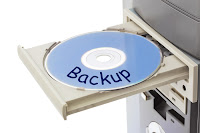 A successful business organization must secure its data to remain a viable force. The Internet has enabled employees of an organization to work even when they are away from their workstations at their office. As employees work at various different locations, a large amount of data is always at risk. So, it is always recommended to have the best Data Backup Support.
You can go for an online data backup support which is the safest and secured way to keep your data protected as well as accessible. It is the price worth paying to get the PC Support for data backup because you can access your data anytime and from anywhere.
Data backup is nothing but a process in which additional files are made and kept at some other place. For data backup, you will be provided with software bundled together in a package by your service provider. This software allows you to select a range of files that is compressed by the software which is stored at safe location.
Main features of the online data backup support:
1. It is safe as it protects your data from any natural disaster, hardware and software crash.
2. It is portable and you can access your data from any location through the Internet connection.
3. You can get support very easily.
To have a data backup is always beneficial and this will definitely help your organization to grow.
You can lose your data at any point of time so don’t delay and get support for your data now.
Subscribe to:
Posts (Atom)