Many of the new features available in Adobe Acrobat and Reader don't apply to the average consumer. But those who work frequently with the feature in Adobe Acrobat, may find some of the new features nice. You can view a complete list of new features available in Adobe X by clicking here.
Showing posts with label Adobe. Show all posts
Showing posts with label Adobe. Show all posts
Adobe X - The Next Generation of Adobe Software
Adobe X is the latest version of Adobe Acrobat and Reader software. If you still have Adobe 9 (or earlier versions) on your computer, your software is now outdated. You can get the newest version of Adobe Reader X by clicking here.
Many of the new features available in Adobe Acrobat and Reader don't apply to the average consumer. But those who work frequently with the feature in Adobe Acrobat, may find some of the new features nice. You can view a complete list of new features available in Adobe X by clicking here.


Many of the new features available in Adobe Acrobat and Reader don't apply to the average consumer. But those who work frequently with the feature in Adobe Acrobat, may find some of the new features nice. You can view a complete list of new features available in Adobe X by clicking here.

Run MS Paint in Linux
MS Paint is one of the first programs we ever used on PC. Finally I have managed to run the worlds best image editing program on my Ubuntu, this definitely beats the shit out of Adobe Photoshop and GIMP :p
Well, it'd be fun to try it out just for the sake of it. MS Paint has virtually remained unchanged for the last 13 yrs since it was first released. Whenever people think of Microsoft they think about Ms Paint and all those ugly images they had drawn with it.
To run MS Paint do this:
1. Download paintnt.exe here
http://download.microsoft.com/downlo...us/paintnt.exe
2. Install Wine from Synaptic or from the terminal by typing
sudo apt-get install wine
3. Create a new folder and place the paintnt.exe file in it.
4. Run it with Wine, now all the required files will be extracted and you can use it as any normal program.
Here is a screenshot:

Here is an image drawn in MS Paint:
(It took him 500 hrs to draw it)
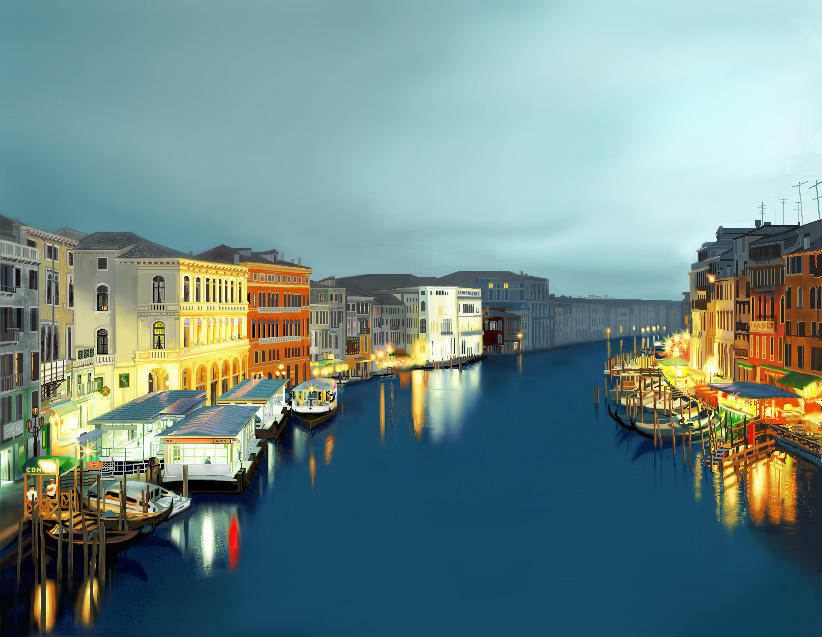
and the ultimate master at MS Paint:
Please Digg this if you liked it....
 Enjoyed this post? Subscribe to Help For Linux RSS feed.
Well, it'd be fun to try it out just for the sake of it. MS Paint has virtually remained unchanged for the last 13 yrs since it was first released. Whenever people think of Microsoft they think about Ms Paint and all those ugly images they had drawn with it.
To run MS Paint do this:
1. Download paintnt.exe here
http://download.microsoft.com/downlo...us/paintnt.exe
2. Install Wine from Synaptic or from the terminal by typing
sudo apt-get install wine
3. Create a new folder and place the paintnt.exe file in it.
4. Run it with Wine, now all the required files will be extracted and you can use it as any normal program.
Here is a screenshot:

Here is an image drawn in MS Paint:
(It took him 500 hrs to draw it)
and the ultimate master at MS Paint:
Please Digg this if you liked it....
 Enjoyed this post? Subscribe to Help For Linux RSS feed.
Remove restrictions from pdf files
Pdf is one of the most common text formats online. From Ebooks to codes all the available. Reason it's easy to prevent privacy since once you password protect it no one can copy it. Adobe Acrobat even has settings to prevent underside copying of the file i.e save as text is disabled. But you can use these software's to crack open those files .You can remove all restrictions.
Just use any of these fully legal software to do it.None of these are free so if you want full version just do torrent(p2p) download. Let me warn you that cracking open these files is considered illegal so don't do them unless you have by mistakenly locked your own file.
If you just wanted the password of your pdf file try Password Recovery Software
Just use any of these fully legal software to do it.None of these are free so if you want full version just do torrent(p2p) download. Let me warn you that cracking open these files is considered illegal so don't do them unless you have by mistakenly locked your own file.
If you just wanted the password of your pdf file try Password Recovery Software
Make ur pdf files to speak
make ur pdf files to speak
here r the shortcuts for hearing pdf files in abobe reader 6.0 or higher
ctrl+shift+b ---->to hear the whole topic
ctrl+shift+v ---->to hear the page
here r the shortcuts for hearing pdf files in abobe reader 6.0 or higher
ctrl+shift+b ---->to hear the whole topic
ctrl+shift+v ---->to hear the page
Change music in malibu and pole position
TOOLS YOU WILL NEED (ADOBE AUDITION)
in your Grand Theft Auto Vice City / Audio folder you will see a bunch of mp3's
you wanna find
malibu.mp3
strip.mp3
stripa.mp3 (short clip only needs to be half of a song)
open a few songs for each clip you want to make.. (fade the beginning or end of the songs if you want to) and open multitrack view.. you can have them fade into eachother. once you have the multitrack session finished go to "FILE" then "SAVE MIXDOWN AS"
you want to save as a 128k 32000 Hz MONO FIle (the same type as the originals) but normal internet 128k 44.1 stereo should work also.. just save as say malibu.mp3 and then replace the one in your audio folder for the one you created.
when i walk into the Malibu i hear david banner and lil' jon singing
"YEEEAAAEEEHH!! OK!!..... WHAT!!..... WHAT!!"
in your Grand Theft Auto Vice City / Audio folder you will see a bunch of mp3's
you wanna find
malibu.mp3
strip.mp3
stripa.mp3 (short clip only needs to be half of a song)
open a few songs for each clip you want to make.. (fade the beginning or end of the songs if you want to) and open multitrack view.. you can have them fade into eachother. once you have the multitrack session finished go to "FILE" then "SAVE MIXDOWN AS"
you want to save as a 128k 32000 Hz MONO FIle (the same type as the originals) but normal internet 128k 44.1 stereo should work also.. just save as say malibu.mp3 and then replace the one in your audio folder for the one you created.
when i walk into the Malibu i hear david banner and lil' jon singing
"YEEEAAAEEEHH!! OK!!..... WHAT!!..... WHAT!!"
Convert Stubborn Webpage To .pdf
I have come across some websites that i wanted to save the page for later review. I found that i was having some problems with certain sites. I found a way around it.
what you need:adobe acrobat 6 pro or better
popupcop
there may be a simpler way to do this but i found that this works:
when at a webpage that you want to copy (YOU MUST BE USING IE AND HAVE BOTH POPUPCOP INSTALLED AND ADOBE ACROBAT 6 PRO OR HIGHER, ACROBAT ICON MUST BE IN IE TOOLBAR TO CONVERT TO .PDF), slide popupcops popup intensity bar to the far left, now click on adobe acrobat icon to convert webpage to .pdf document. I have yet to find a webpage where this trick does not work.
what you need:adobe acrobat 6 pro or better
popupcop
there may be a simpler way to do this but i found that this works:
when at a webpage that you want to copy (YOU MUST BE USING IE AND HAVE BOTH POPUPCOP INSTALLED AND ADOBE ACROBAT 6 PRO OR HIGHER, ACROBAT ICON MUST BE IN IE TOOLBAR TO CONVERT TO .PDF), slide popupcops popup intensity bar to the far left, now click on adobe acrobat icon to convert webpage to .pdf document. I have yet to find a webpage where this trick does not work.
SPEED UP UR ACROBAT READER (ALMOST LIKE NOTEPAD)
Do u get irritated when acrobat reader takes 5/10 seconds to load when you want to open a pdf document. There is a way to speed up the loading.
1. Go to the installation folder of acrobat reader
(C:\program files\adobe\acrobat\reader\.. whatever)
2. Move all the files and folders from the "plugins" directory to the "Optional" directory. (I repeat.. cut and paste the files NOT copy & paste).
Also make sure that acrobat reader is not open else it will lock the files and not allow you to move the files).
Now your acrobat reader will load very fast
and almost as good as notepad..
PDF Merger:Merge PDF Files into single File
 MergePDF, like what the name suggests, is an online tool that you can use to merge PDF Documents into a single file. If you have multiple, small sized PDF documents that you want combined, you might want to try using this tool.In the website MergePDF
For each process, you are allowed to merge up to 10 PDFs with sizes not exceeding 5MB. If you think that the file size limit is rather small, you’ll have to do it using desktop applicatons such as Acrobat PRO or some other PDF related desktop software. If you’re merging large files, then most probably you don’t want them to be lurking around the internet anyway. Even if MergePDF stated that the files that are uploaded are removed right after the merge process is completed.
The only thing that is not safe in itself is the data transfer as we are not transferring through SSL. If our users send us an email requesting SSL, we will happily address that and provide upload over https.
This is a neat and simple tool for doing a simple task and it won’t cost you anything. It merges PDFs, no manipulating no editing,that’s as simple as it gets.

Free PDF ebook to Word Converter Software
PDF to word converter is an absolute freeware and can convert any pdf ebooks and documents to doc or rtf files for free. It also supports batch pdf to word conversion.
Steps to Convert
Download and install the software.
Add the source pdf files and use the option given in the left to display or avoid graphics, select pages, provide password and much more.
Click start conversion to begin pdf ebook conversion.
Features of Free pdf to Word Software
Steps to Convert
Download and install the software.
Add the source pdf files and use the option given in the left to display or avoid graphics, select pages, provide password and much more.
Click start conversion to begin pdf ebook conversion.
Features of Free pdf to Word Software
- Freeware
- Does not require an adobe reader for conversion
- Convert encrypted pdf files
- Preserve original layout
- Batch conversion
- Option to specify which pages should only be converted
Convert PDF e books to Word Format for free
Nowadays most of the printed magazines and books are available online as “ebooks” in downloadable PDF format. Since Pdf files could only be edited with separate PDF editors,
it’s better to edit them after converting into Microsoft word or doc format. We have already mentioned free pdf to doc online converters in one of our previous posts. But since these conversion services are being provided only online, we can’t predict or rely on them all time. Downloadfree software which converts pdf ebooks to word format.
it’s better to edit them after converting into Microsoft word or doc format. We have already mentioned free pdf to doc online converters in one of our previous posts. But since these conversion services are being provided only online, we can’t predict or rely on them all time. Downloadfree software which converts pdf ebooks to word format.
Subscribe to:
Posts (Atom)