Showing posts with label Distro. Show all posts

Which Linux Distro is Right for Me?

For beginners the topic of distros can be quite confusing. How ever there is no need for normal users to think much about distros. Here is a list of popular distros and few words about them:

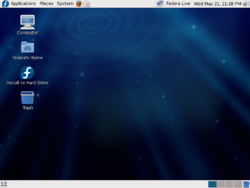
image Fedora is an RPM-based, general purpose Linux distribution,  developed by the community-supported Fedora Project and sponsored by Red Hat. Fedora's mission statement is: "Fedora is about the rapid progress of Free and Open Source software."
image

One of Fedora's main objectives is not only to contain free and open source software, but also to be on the leading edge of such technologies.Also, developers in Fedora prefer to make upstream changes instead of applying fixes specifically for Fedora — this ensures that updates are available to all Linux distributions.

http://en.wikipedia.org/wiki/Fedora_(Linux_distribution)

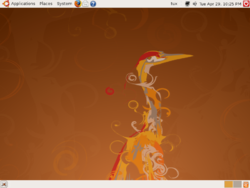
image Ubuntu is a Linux based computer operating system. It has consistently been rated among the most popular of the many Linux distributions, Ubuntu's goals include providing an up-to-date yet stable Linux distribution for the average user and having a strong focus on usability and ease of installation. Ubuntu is a derivative of Debian, another free operating system. Ubuntu is sponsored by Canonical Ltd, which is owned by South African entrepreneur Mark Shuttleworth.
image

Kubuntu and Xubuntu are official subprojects of the Ubuntu project, aiming to bring the KDE and Xfce desktop environments, respectively, to the Ubuntu core (by default Ubuntu uses GNOME for its desktop environment).The most recent version, Ubuntu 8.04 LTS (Hardy Heron), was released on April 24, 2008, although an update, Ubuntu 8.04.1 LTS, was released on July 3, 2008. The next version will be 8.10 (Intrepid Ibex) and is scheduled for release in October 2008.

http://en.wikipedia.org/wiki/Ubuntu

[ Currently Ubuntu is the most popular and best Linux OS. I use Ubuntu. Ubuntu sends free CD's right at your doorstep for free. You read it correctly. You can get a free Ubuntu CD shipped to your house from here:

Request an Ubuntu CD , It takes about 20 odd days for the CD to be shipped. You can get the CD within 2-3 days if you buy it.

]

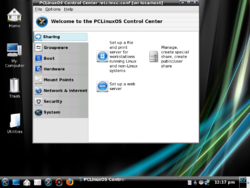
image PCLinuxOS, often abbreviated as PCLOS, is a desktop Linux distribution. It is a free operating system for personal computers aimed at ease of use.
image

The precursor to PCLinuxOS was a set of RPM packages created to improve successive versions of Mandrake Linux (now Mandriva Linux). These packages were created by Bill Reynolds, a packager better known as Texstar.[1] From the year 2000 to 2003, Texstar maintained his repository of RPM packages in parallel with the PCLinuxOnline Web site. In an interview, Reynolds said he started PCLinuxOS "to provide an outlet for [his] crazy desire to package source code without having to deal with egos, arrogance and politics."

[PCLinuxOS looks cool]

http://en.wikipedia.org/wiki/PCLinuxOS

image

openSUSE, is a community project, sponsored by Novell and AMD, to develop and maintain a general purpose Linux distribution. After acquiring SUSE Linux in January 2004, Novell decided to release the SUSE Linux Professional product as a 100% open source project, involving the community in the development process. The initial release was a beta version of SUSE Linux 10.0, and as of June 2008 the current stable release is openSUSE 11.0.

image

Beyond the distribution, openSUSE provides a web portal for community involvement. The community assists in developing openSUSE collaboratively with representatives from Novell by contributing code through the open Build Service, writing documentation, designing artwork, fostering discussion on open mailing lists and in Internet Relay Chat channels, and improving the openSUSE site through its wiki interface. Novell employed over 500 developers working on SUSE in 2004. Novell markets openSUSE as the best, easiest distribution for all users.

http://en.wikipedia.org/wiki/OpenSUSE

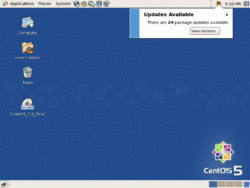
image CentOS is a freely-available Linux distribution that is based on Red Hat Enterprise Linux. This rebuild project strives to be 100% binary compatible with the upstream product and, within its mainline and updates, not to vary from that goal. Additional software archives hold later versions of such packages, along with other Free and Open Source Software RPM-based packages. CentOS stands for Community ENTerprise Operating System.
image

http://en.wikipedia.org/wiki/CentOS

These are some of the best ways to start off with Linux. There are some other distro's such as Puppy Linux, but they aren't exactly aimed at main stream market, so more about them later. Here is an excellent online quiz which will help you in choosing a distro based on your requirements.

http://www.zegeniestudios.net/ldc/index.php?select_lang=true

Linux Mint = Ubuntu++

Ubuntu is currently the top Linux distro. Thanks to its stability and open source nature many Linux distros have sprouted in recent times which are based on Ubuntu. Freespire, Mythbuntu are some of the more popular ones. However it is Linux Mint which takes the top spot in the race of Ubuntu spin-offs. Linux Mint is basically Ubuntu with a beautiful theme and in built proprietary codecs for playing media files (mp3's and other such stuff) out of the box. It also comes with better hardware drivers (for Wi-Fi and other things) and oh, most (98%) of Ubuntu hacks are applicable for Mint too. Mint also comes with a single taskbar. A question comes to my mind, Why would anyone download Ubuntu when Linux Mint provides all the goodies ob Ubuntu with some added extras? The only thing which go against Mint are its short support policy.

Here is an excellent review about Linux Mint from the site http://www.linux.com. The original article can be found here.
Linux Mint freshens Ubuntu's palate

By Joe 'Zonker' Brockmeier on March 08, 2007 (8:00:00 AM)

Ubuntu is a strong desktop distro, but it falls short for some users in a few areas. Where are the multimedia codecs and DVD support, and what's with all the brown, for heaven's sake? If you'd like multimedia support with a minty fresh theme, try Linux Mint 2.2, an Ubuntu-based distro that throws in support for Flash 9, Windows Media Format, DVDs, MP3s, and troublesome wireless cards.

Linux Mint uses the Ubuntu Ubiquity installer. Just pop in the live CD, click the Install icon, and walk through a few simple questions, then wait for the installer to work its magic. After a short wait, Mint is installed and you can reboot into a fresh install.

I installed Linux Mint 2.2 ("Bianca") on a notebook with a Pentium 4, 1GB of RAM, an ATI Radeon R250 display adapter, Intel sound card, and an Intersil Prism wireless card. I'm also running an instance of Linux Mint 2.2 under VMware Server on my main desktop.

When I installed Linux Mint on the notebook, the live CD and initial install detected my wireless card just fine. After the install, I was prompted to upgrade packages. One of the updates I pulled down was a kernel update, from 2.6.17-10 to 2.6.17-11. After installing it and rebooting, Mint no longer detected the wireless card. I had to reboot into the old kernel to continue using the wireless network. It looks like this was a problem introduced upstream with the main kernel, as I've found some discussion of the problem on the Ubuntu forums.

Mint, like many distros, also had problems detecting the proper resolution for the laptop. The screen is supposed to run at 1400x1050, but Mint wanted to set the display to 1024x768. I had to hand-edit the xorg.conf file to set the resolution properly.

Other than those two glitches, Mint worked fine with the rest of the hardware.

I did a clean install; users who are running older versions of Linux Mint should check the wiki for instructions on moving from 2.0 to 2.2 -- it's not as straightforward as just running apt-get dist-upgrade.

Mint custom configuration tools

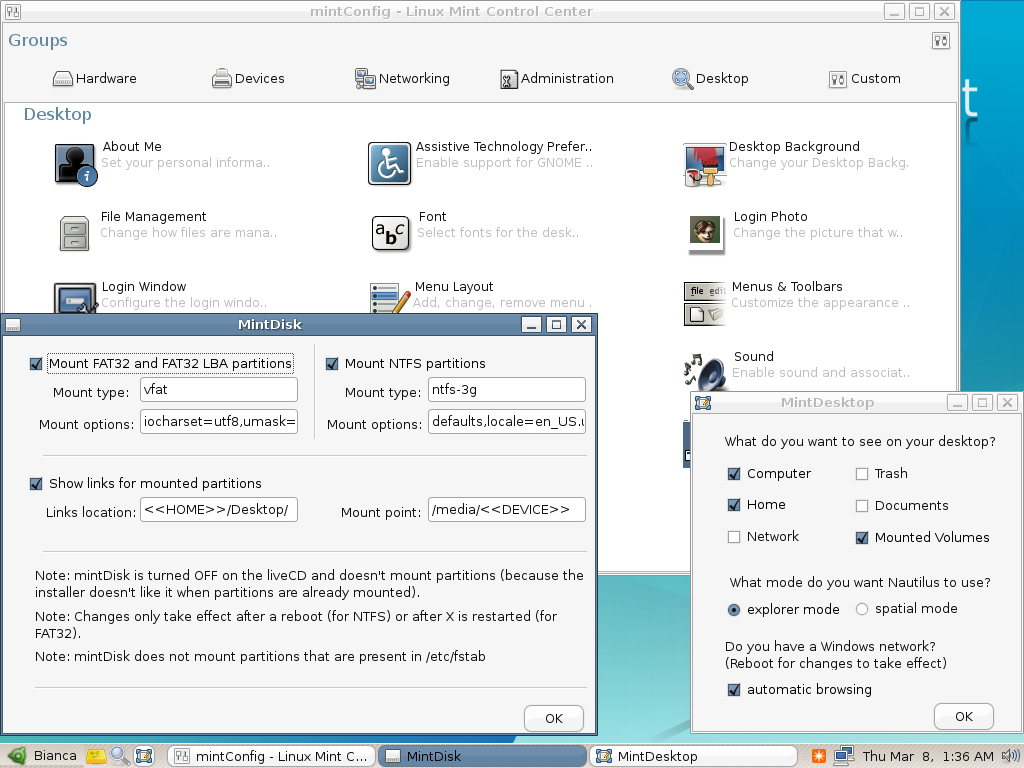
Mint's custom configuration tools - click to view

Note that, unlike Ubuntu, Linux Mint is only available for x86 systems. If you want to run Linux Mint on an AMD64 system, you'll have to settle for 32-bit, and if you're on PowerPC, then no Mint for you!

What does Linux Mint offer?

Under the hood, Linux Mint is about 98% Ubuntu, so why would you want to install it rather than Ubuntu? Well, that 2% will be fairly attractive to a lot of users.

The most obvious difference between Ubuntu and Linux Mint is the theme, which is a refreshing blue rather than Ubuntu's standard brown. Mint's look and feel overhaul goes beyond the color scheme, though. Mint has a single taskbar by default which is arranged not dissimilarly to the standard Windows taskbar.

Like Ubuntu, Linux Mint defaults to the GNOME desktop, though the forums have a few discussions about Xfce and KDE releases for Bianca as well -- but those seem to be a ways out, at best. There's no reason that you couldn't install the kubuntu-desktop or xfce-desktop packages, which would still give you some of Linux Mint's advantages, but the desktops are not customized in the same way as GNOME's. Note that the first release of Linux Mint, "Ada," was actually based on KDE, but GNOME became the default with the next release.

The Linux Mint desktop

The Linux Mint desktop - click to view

Mint's package selection is pretty close to Ubuntu's, but it does differ a little bit. For instance, Mint ships with Amarok rather than Rhythmbox, and no games are installed by default. As with Ubuntu, if the apps you want are not part of the default install, odds are that they are available with a quick apt-get install or by using Synaptic. Mint actually uses Ubuntu's repositories, so everything that's available via Ubuntu should be available, plus the handful of custom applications for Linux Mint.

The main attraction for Windows refugees is that Mint ships with support for all the annoying proprietary multimedia formats right out of the box -- no fussing with repositories, no digging through wikis to see what packages need to be installed to play back the video on YouTube your dear aunt Petunia sent you a link to.

I tried YouTube, Windows Media files, QuickTime, and CSS-encoded DVDs, and everything played just fine -- no problems at all, and no need to install any packages myself. Mint also comes with Sun Java installed by default, and set up so the Java plugin works by default in Firefox.

Mint also has a modified main menu a la SUSE, with the applications, places, and system menus integrated into one menu. A similar main menu is also available in Ubuntu Edgy as an additional package, but it's not quite as well refined as the default menu that's included with Mint.

The Applications, Places, and System menus, as well as Beagle search, are integrated into the single system, so users have one handy spot to open applications, search for files, open Nautilus to display the home directory, or get to one of the configuration applets.

What's conspicuously absent from the system menu is any of the help and documentation that you'll find under the System menu in Ubuntu. Linux Mint does have a few help docs that jump out at you, though. When you start Firefox the first time, you'll see a custom page with a few links to Linux Mint resources, including the forums and wiki, and a "Tips and Tricks" page stored locally.

One thing I found slightly odd about the "Make yourself at home!" document, which is linked to from the Tips and Tricks, is that it walks the user through setting up keyboard shortcuts to control Amarok so that it's easier to set volume, navigate tracks, etc. That's lovely, but why don't the developers just ship Amarok with the recommended keybindings in the first place?

The rest of the tips provided are fairly useful, though they're missing some obvious tips, such as installing proprietary Nvidia or ATI drivers, that users are likely to be interested in.

Linux Mint ships with all the administration and preference apps that appear in Ubuntu, plus a few custom tools that don't. The MintDisk app lets users set preferences for mounting FAT32 and NTFS partitions, and allows users to control where automounted disks are mounted in the filesystem if the /media directory is not desirable for some reason.

Users who have wireless cards that are not supported by open drivers may have better luck with mintWifi, a tool to set up wireless cards using the Windows driver and NdisWrapper.

The configuration apps are all gathered in the mintConfig application, which organizes the configuration tools into groups. When you launch the mintConfig tool, you see several groups: Hardware, Devices, Networking, Administration, and Desktop. This is a good idea -- it's a little more organized than dumping all the config utilities into the GNOME Control Center -- but the groups are a bit muddled. For instance, I think a keyboard qualifies as hardware, but it's found under the Devices tab in the mintConfig window.

Final thoughts

If multimedia is important to you, if you have a troublesome Wi-Fi card or chipset, or if you'd like a starter distro for someone trying to move away from Windows, Linux Mint is a good place to start. It has all the benefits of Ubuntu -- and lacks Ubuntu's bias toward shipping only the most necessary non-free drivers -- and offers a few added features to boot.

The real test for Linux Mint will be longevity. The Mint team is pushing out releases rapidly, about one every two months, and the support policy for older releases is not clearly delineated on the site. The introductory release was pushed out only last August, so the team doesn't have a year under its belt yet -- which makes me a bit hesitant to bet on the distro for the long haul, since so many distros stagnate and die within the first year or two of inception. If the Linux Mint team can sustain its energy through this August, I'll be eyeing Linux Mint as a serious desktop distro.

So what are you planning to download next time?

What is a 'Linux Distro' ?

When Linus Torvalds first developed Linux back in August of 1991, the operating system basically consisted of his kernel and some GNU tools. With the help of others Linus added more and more tools and applications.

With time, individuals, university students and companies began distributing Linux with their own choice of packages bound around Linus' kernel. This is where the concept of the "distribution" was born.

A 'distro' typically consists of Linux kernal and an assortment of various software. Now Linux on its own cannot play mp3s or movies. However if you put in some software to do such tasks, you get  a distro.

Redhat is the grand daddy of Linux distros. Of late there has been a great flurry in the Linux market and developments have been going on at fast pace.

In the next post I'll tell you about some of the most popular distros and help you in choosing the correct distro according to your needs.

Tin Hat Distro

Tin Hat is a Linux distribution derived from hardened Gentoo which aims to provide a very secure, stable and fast Desktop environment that lives purely in RAM................

Tin Hat requires about 4 GB to run comfortably, 3 GB for the tmpfs root file system, and 1 GB for paging. If one wants to further reintroduce Gentoo's portage system and/or the kernel source tree, 4GB becomes a very tight squeeze.

For more information, go to Tin Hat

Distro of Choice for Desktop and Server

After writing more than 100 entries on Linux, I thought I write something about my personal choice of Linux Distribution

I have tested OpenSuse 10.3, Fedora 9, Ubuntu, I finally settled on Linux Mint. Its elegance and layout really "wow" me after I have installed and never look back. Besides, it has a whole load of software from Debian/Ubuntu Repository. I like the compilation of codecs which I can install with a click on the icon "Install Multimedia Codecs"

As for the Server OS of choice, I think CentOS is still my choice. No special reasons except that I just got used to Redhat Distro since I started using Redhat 6 on our servers.

SliTaz - one fo the smallest LINUX Distribution < 30MB

SliTaz similar to Puppy LINUX loads entirely on the RAM and is very fast

SliTaz: (http://www.slitaz.org/en/)
SliTaz Installation wiki Page: (http://wiki.slitaz.org/doku.php?id=lang:en:langstart)